Sender ID
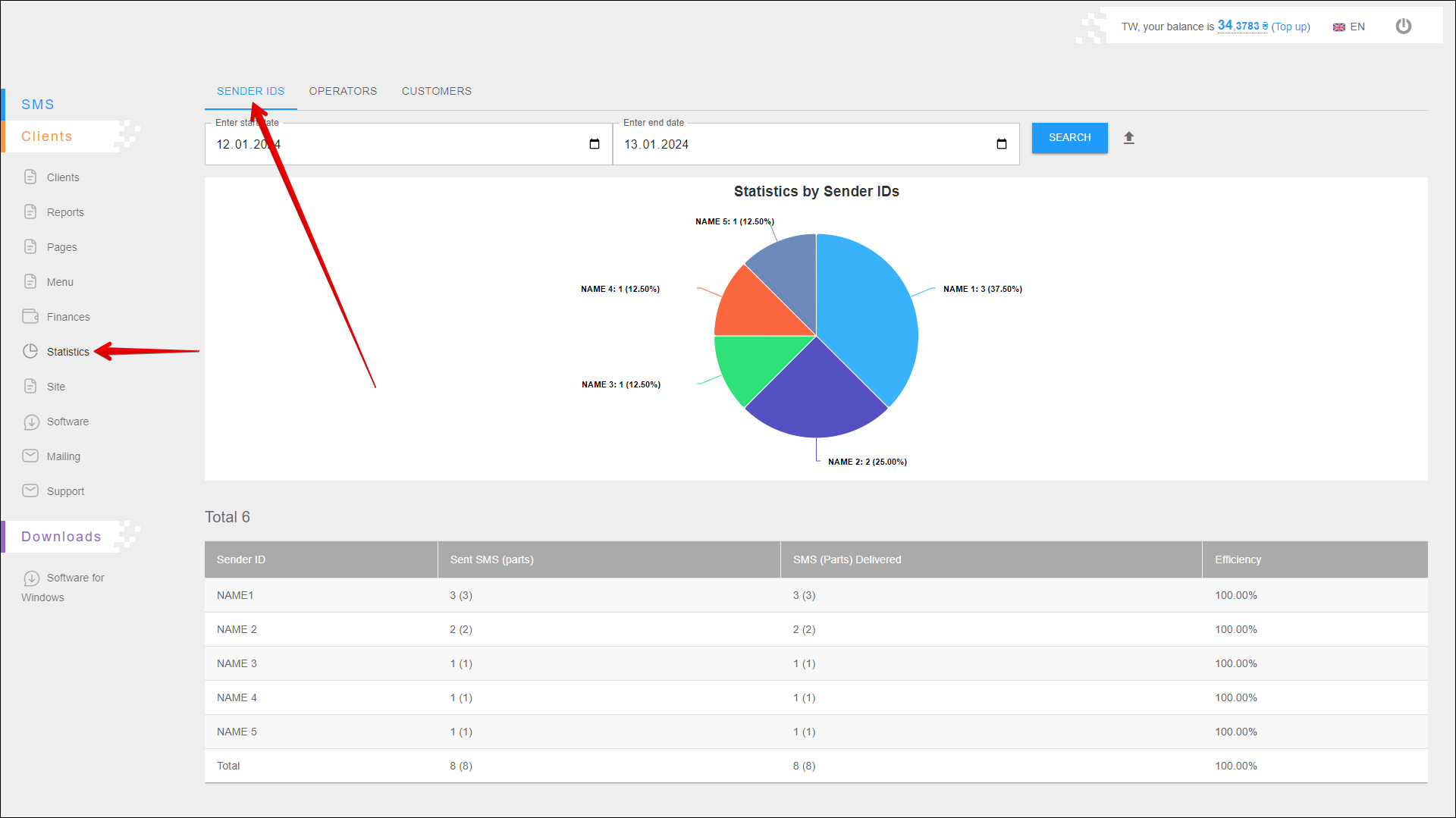
In this tab, you can view statistics on your clients' Sender IDs and check the effectiveness of their mailing.
To open this tab, select Clients → Statistics in the side menu and select SENDER IDS tab.
Period selection
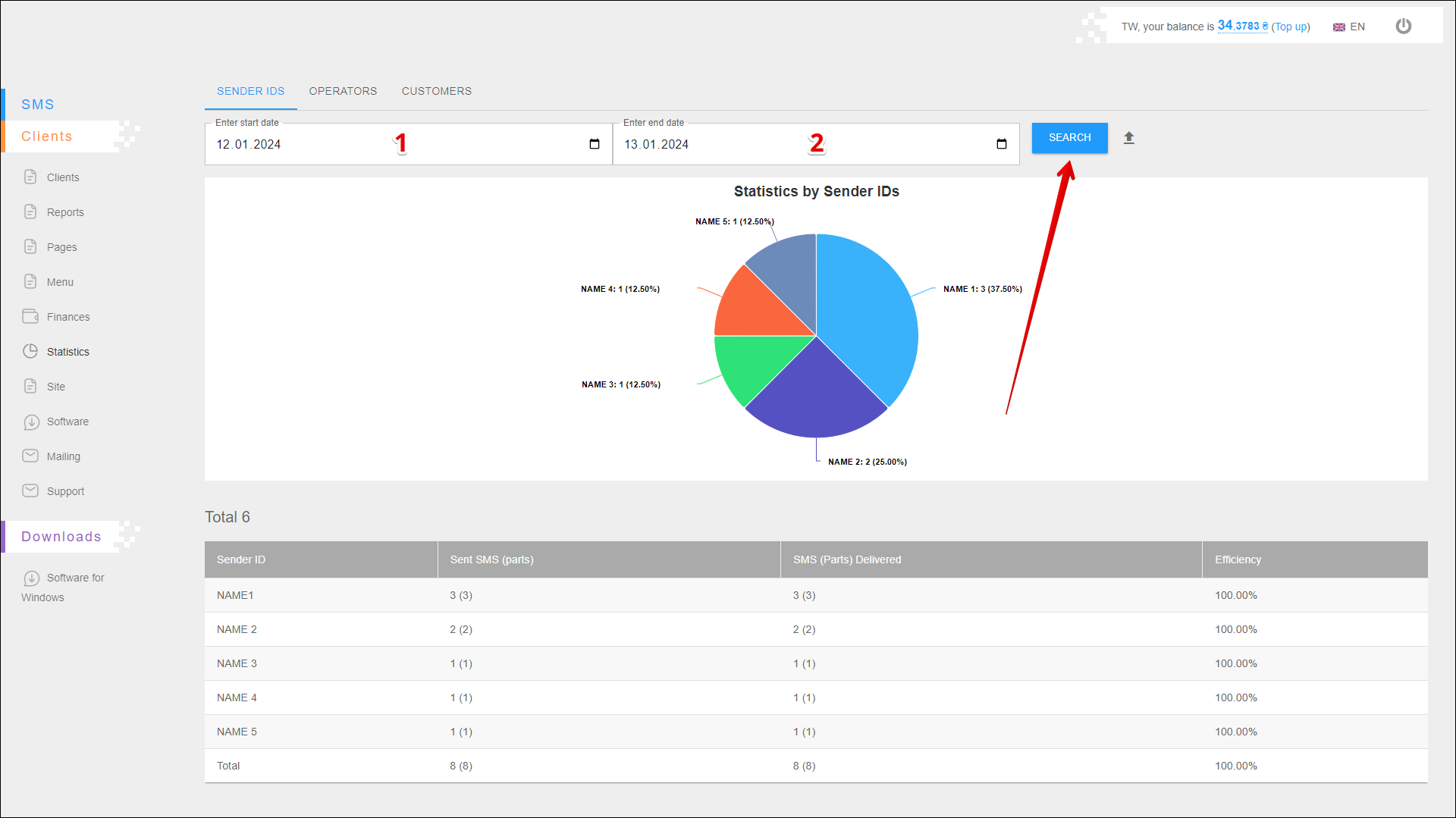
To select the time period for which you want to display statistic, follow the steps below:
| № | Action |
|---|---|
| 1 | Enter the start date. You can enter the date manually or select it in the calendar, to do this, click the Calendar icon on the right side of the field |
| 2 | Enter the end date. You can enter the date manually or select it in the calendar, to do this, click the Calendar icon on the right side of the field |
After selecting a date, click the SEARCH button. The page will be refreshed and display statistics for the specified period.
Exporting a report
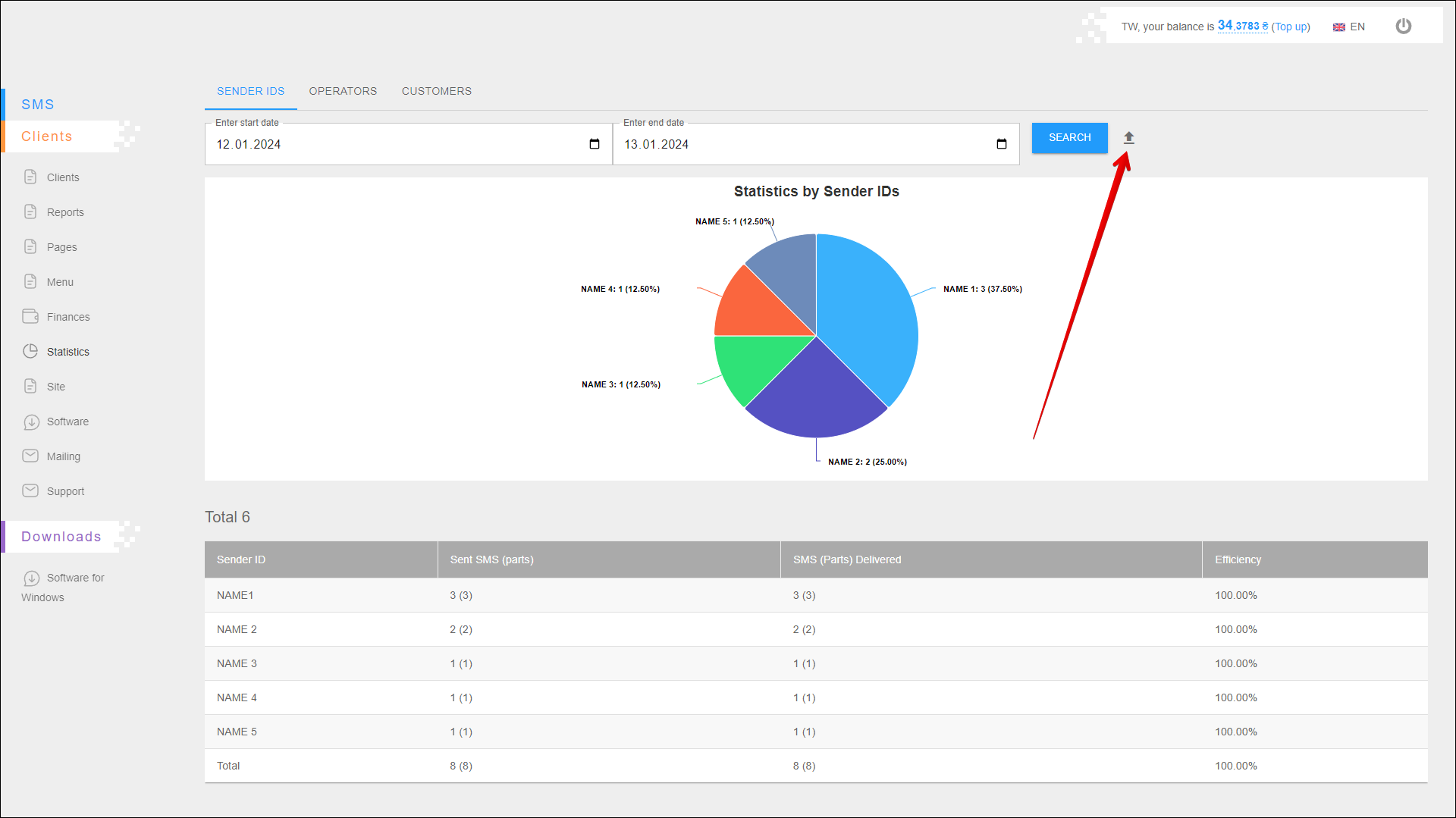
To export statistical reporting click the Export button icon to the right of the SEARCH button.
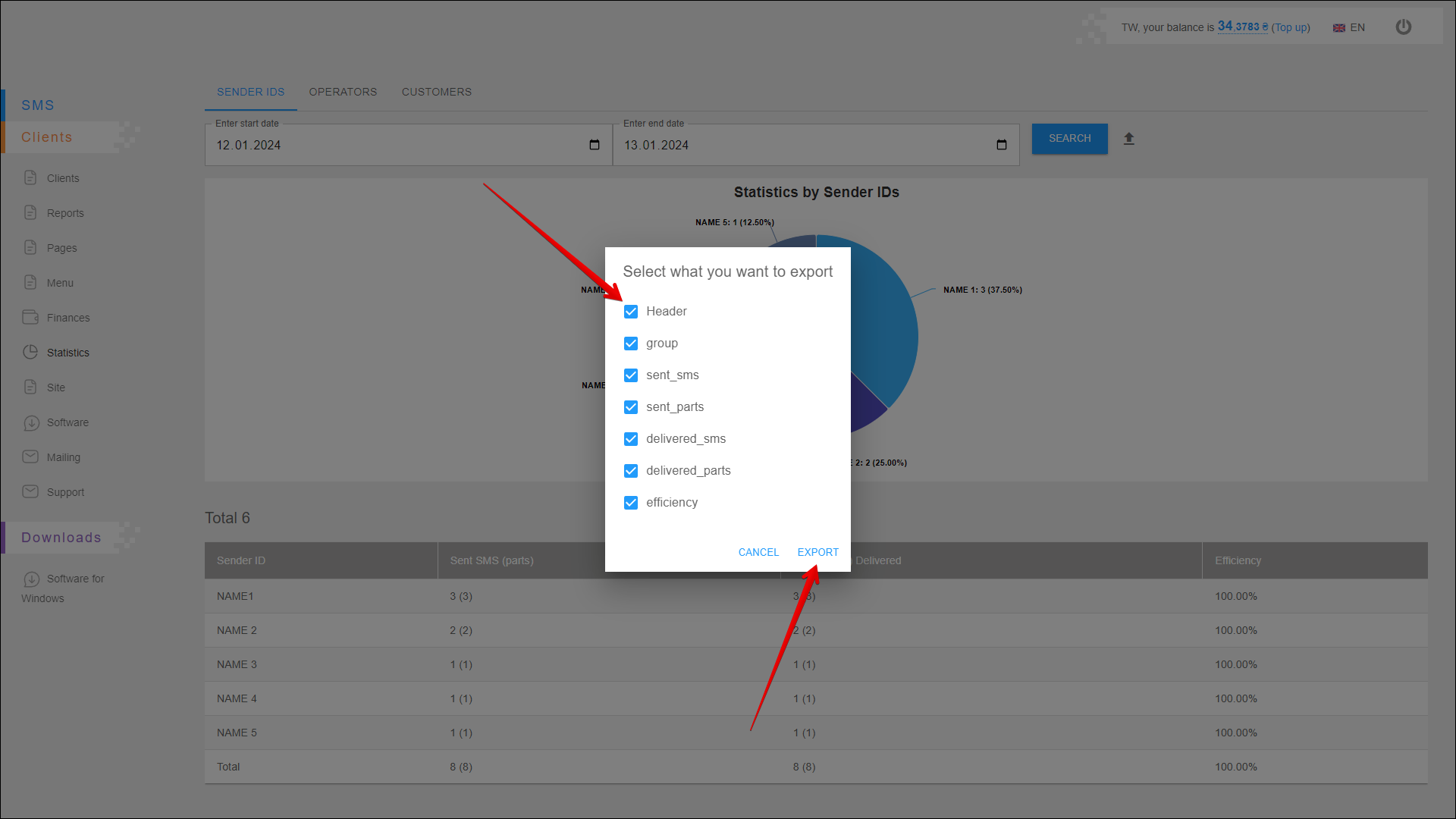
A new pop-up window will open where you need to select the data you want to export. After selecting the data, click the EXPORT button to export. To cancel, click the CANCEL button.
After pressing the EXPORT button, the report will be saved on your device in an .xlsx file.
Statistics chart
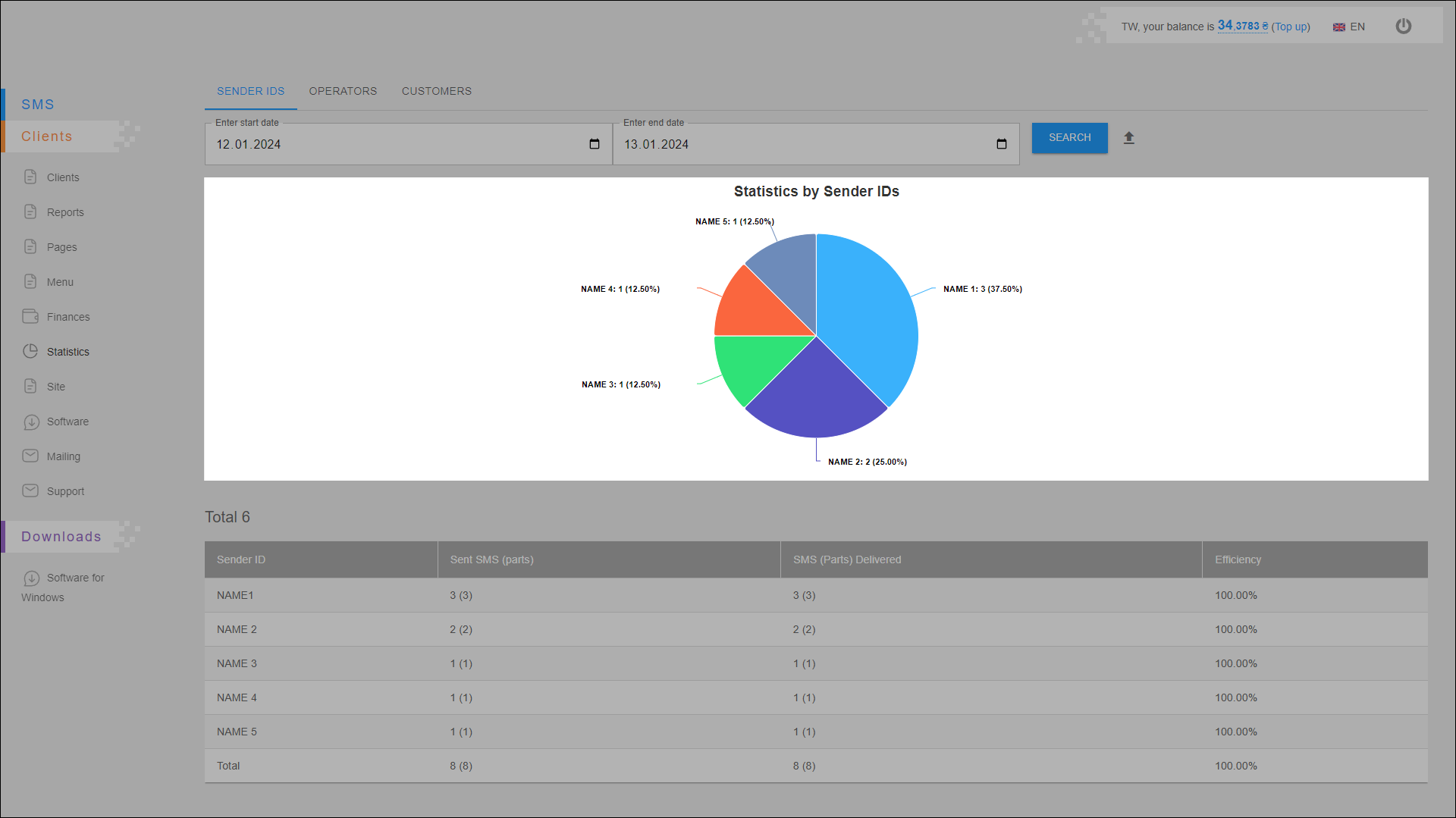
This chart displays the number of sent messages for each sender ID. Statistics are displayed for the specified period.
Statistics table
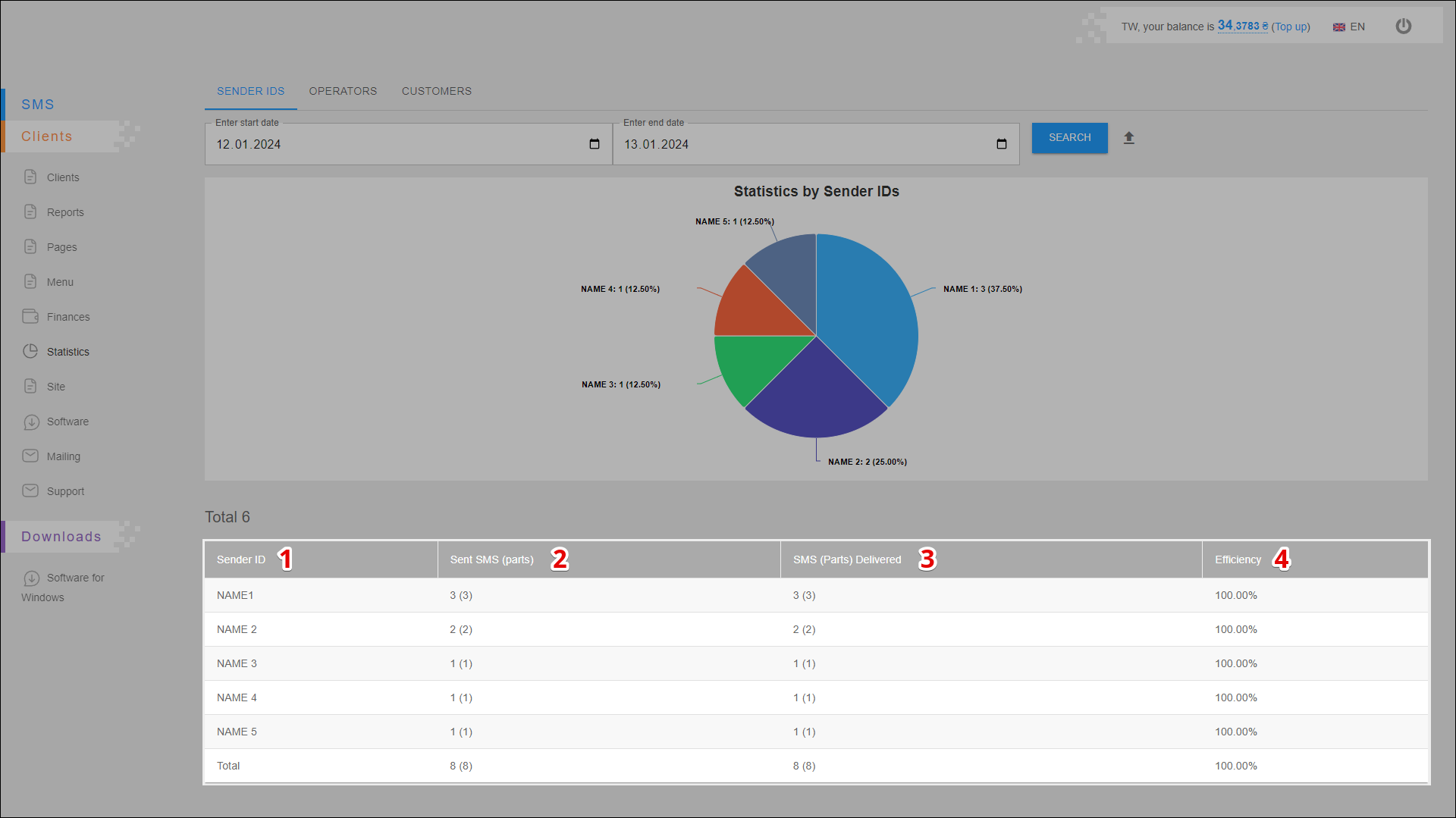
All statistical data are arranged in the table in separate columns:
| № | Description |
|---|---|
| 1 | Sender ID - sender's name (ID) |
| 2 | Send SMS (parts) - number of sent messages (parts) |
| 3 | SMS (Parts) Delivered - number of delivered messages (parts) |
| 4 | Efficiency - mailing efficiency (number of delivered messages out of the total number of sent messages ) |